What Size Gaming Desk Do You Need? Standing Desk Size Guide
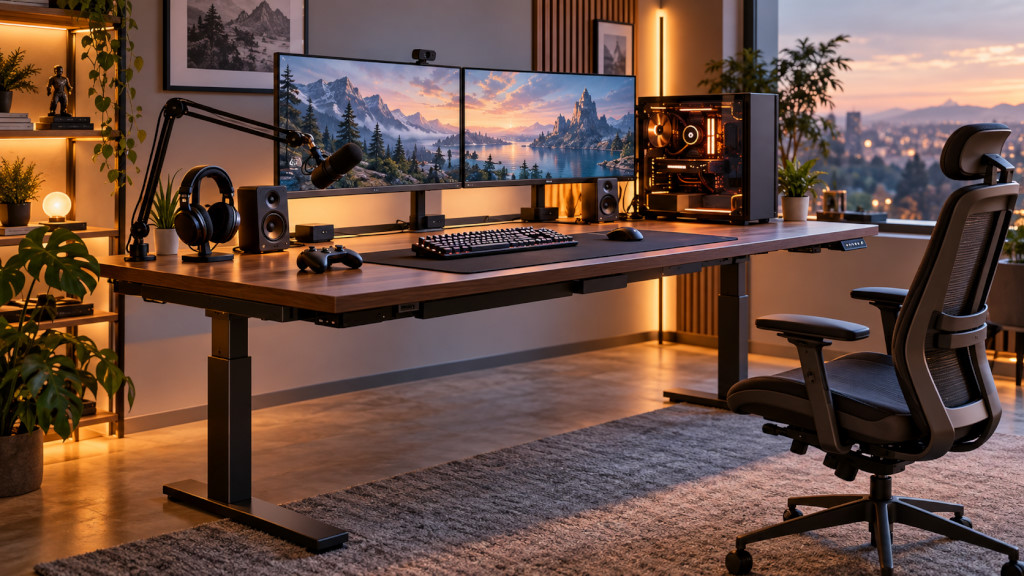
Choosing a gaming desk is often treated as a question of style: black desktop or timber, RGB lighting or minimalist design, gaming chair or ergonomic chair.
But one of the most important decisions comes before any of those:
What size gaming desk do you actually need?
A desk that is too small can quickly become crowded once you add a monitor, keyboard, mouse, speakers, headset, microphone and gaming PC. On the other hand, buying the largest desk available does not automatically create a better setup, especially in a bedroom, apartment or shared home office.
For gamers who also work or study at the same workstation, a standing desk adds another consideration. Your equipment needs to fit comfortably while remaining stable and well organised as the desk moves between sitting and standing positions.
In this guide, we look at common 1200mm, 1500mm and 1800mm gaming desk sizes, how much depth you may need, and how to choose a standing desk for single-monitor, dual-monitor and larger gaming setups.
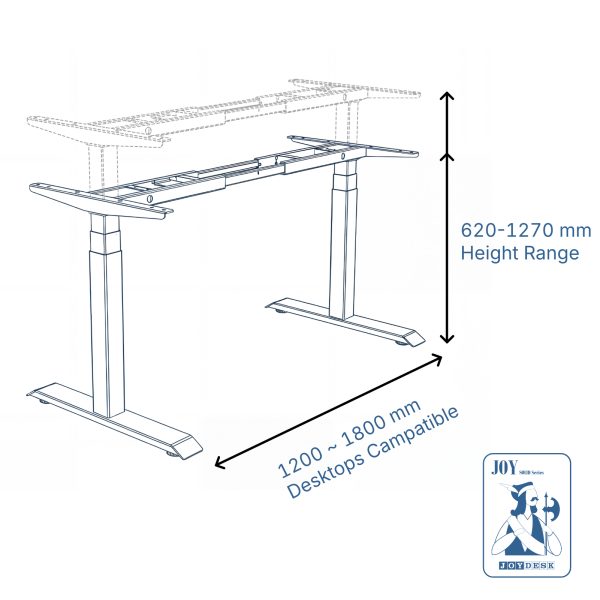
You can also explore the current JoyDesk height-adjustable standing desk range to compare available sizes and configurations.
What Is a Good Size for a Gaming Desk?
There is no single ideal gaming desk size.
The best size depends on four practical things:
-
How many monitors you use
-
Whether your gaming PC sits on or underneath the desk
-
How many accessories you keep on the desktop
-
How much room is available in your home
For many gaming setups, desk widths between 1200mm and 1800mm provide a useful range of options.
At JoyDesk, available desktop sizes include:
-
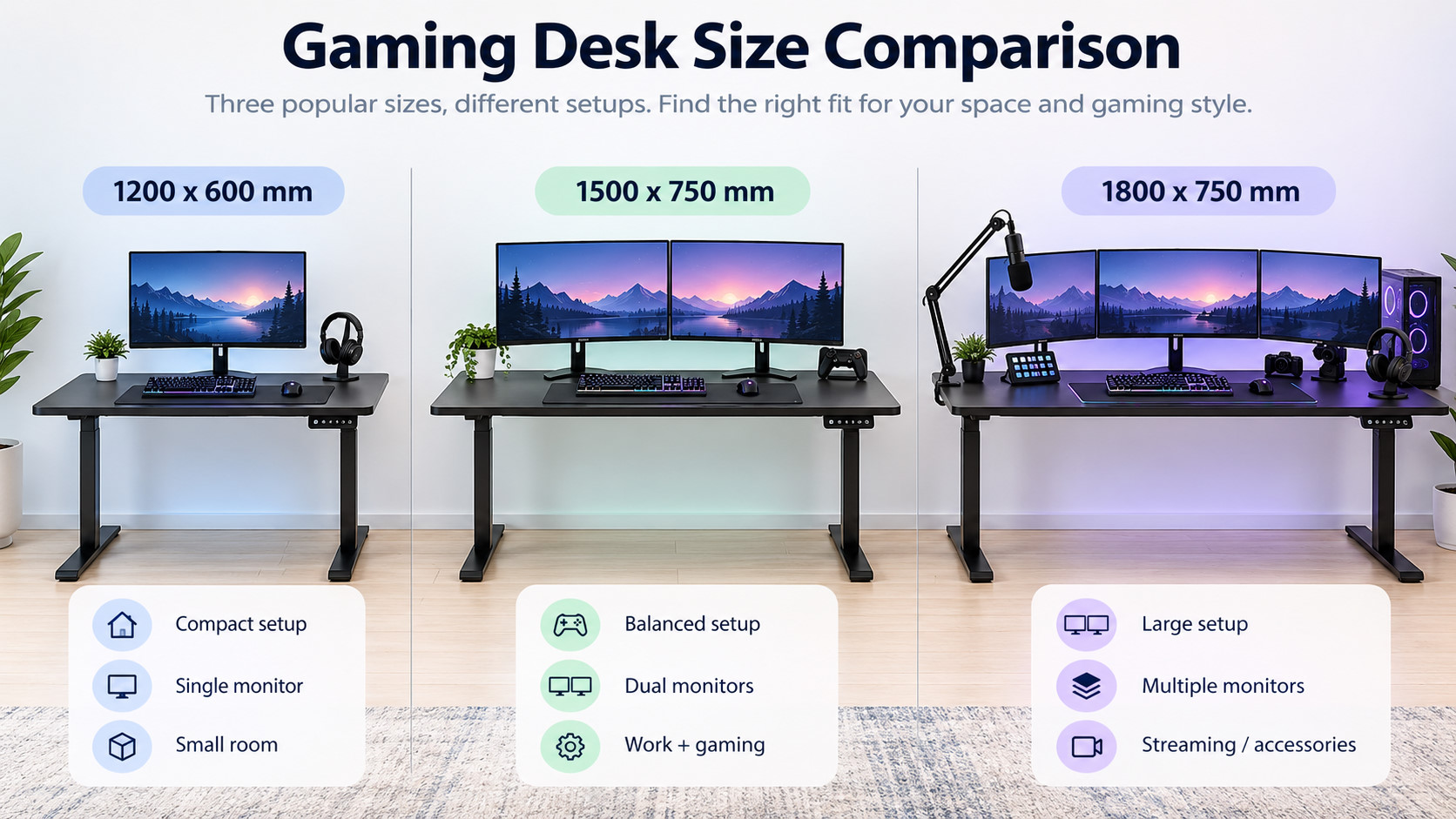
1200 × 600 mm
-
1500 × 750 mm
-
1800 × 750 mm
These sizes suit very different setups.
A 1200mm gaming desk may be enough for a compact single-monitor workstation, while a 1500mm standing desk provides more flexibility for two monitors and accessories. An 1800mm desktop is better suited to larger multi-monitor or gaming-and-work setups.
You can compare the available JoyDesk desktop options if you are deciding between different sizes and materials.
Is a 1200mm Standing Desk Big Enough for Gaming?
A 1200mm standing desk can work well as a gaming desk when space is limited.
It is particularly suitable for:
-
One gaming monitor
-
A laptop plus one monitor
-
Compact keyboards
-
Smaller speakers
-
Minimal accessories
-
Bedroom gaming setups
-
Apartment workstations
A 1200 × 600 mm desktop can be a practical option if your gaming PC is positioned underneath the desk rather than on top of it.
The biggest limitation is available width.
Once you add a large monitor, speakers, microphone arm, console accessories or a PC tower, a 1200mm desktop can begin to feel crowded.
Depth matters too.
At 600mm deep, you need to think carefully about monitor positioning. A monitor arm can help free up desktop space and allow you to position the screen more efficiently.
Who Should Choose a 1200mm Gaming Desk?
A 1200mm gaming desk makes the most sense if:
-
Your room is small
-
You use one monitor
-
You prefer a minimalist gaming setup
-
Your PC tower sits below the desktop
-
The desk is used mainly for gaming rather than several different activities
For a compact gaming room or bedroom, a smaller electric standing desk can provide the advantage of height adjustment without occupying unnecessary floor space.
If you are working with limited room, our guide to choosing a height-adjustable desk in Sydney also discusses how desk dimensions affect smaller home workspaces.
Is 1500mm the Best Gaming Desk Size for Most Gamers?
For many users, 1500 × 750 mm is an excellent middle ground.
It provides substantially more usable desktop space than a 1200mm desk without requiring as much room as an 1800mm workstation.
A 1500mm gaming desk can comfortably accommodate many setups involving:
-
One large gaming monitor
-
Two standard monitors
-
Monitor arms
-
Keyboard and mouse
-
Speakers
-
Headset stand
-
Microphone
-
Small streaming accessories
-
Laptop alongside a monitor
The additional 750mm depth is also useful.
Gaming monitors have become larger, and sitting too close to a large screen can make the workstation less comfortable. Greater desk depth gives you more flexibility when deciding how far the monitor should sit from your eyes.
For this reason, a 1500mm standing desk for gaming is likely to suit many users who want one workstation for both gaming and everyday work.
What Size Gaming Desk Do You Need for Dual Monitors?
A dual-monitor setup is one of the strongest reasons to move from a compact gaming desk to a larger desktop.
Two monitors take up considerably more horizontal space, particularly if they are positioned side by side using their original stands.
For many dual-monitor gaming setups, a 1500mm standing desk provides a practical starting point.
If the monitors are particularly large, or if you also want your gaming PC on the desktop, an 1800mm gaming desk may be more comfortable.
Monitor arms can make a significant difference.
Instead of having two large monitor stands consuming desktop space, a dual-monitor arm can create more usable space underneath the screens.
When planning a standing desk for dual monitors, also consider the total weight of:
-
Both monitors
-
Monitor arms
-
Gaming PC
-
Speakers
-
Desktop
-
Other accessories
The desk frame needs to support the complete setup safely.
JoyDesk's standing desk range includes models such as the JOY Solid and KING Pro, with different frame specifications and load capacities. Check the current JoyDesk standing desk collection when comparing the requirements of a heavier gaming setup.
When Should You Choose an 1800mm Gaming Desk?
An 1800 × 750 mm standing desk is designed for users who want a much larger workstation.
It can make sense for:
-
Dual large monitors
-
Triple-monitor setups
-
Ultrawide monitors plus a second display
-
Gaming PC positioned on the desktop
-
Large speakers
-
Streaming equipment
-
Work and gaming on the same desk
-
Multiple peripherals
-
Creative or video-editing setups
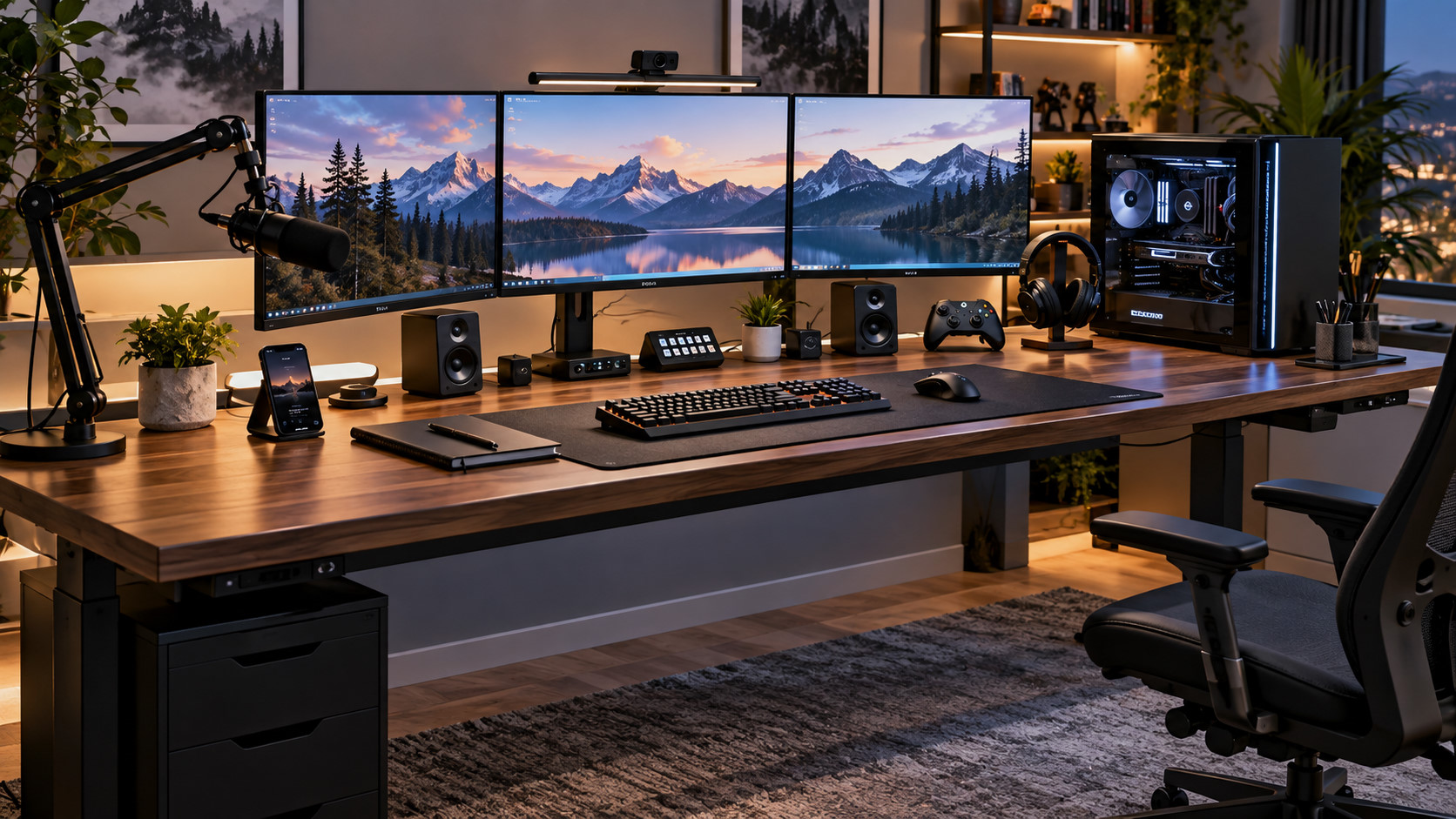
An 1800mm desktop also gives you more freedom to separate different areas of the desk.
For example, the centre can remain dedicated to gaming while one side accommodates a laptop, tablet, notebook or work equipment.
However, bigger is not always better.
Before choosing an 1800mm gaming desk, measure your room carefully.
You need enough room not only for the desk itself but also for:
-
Your gaming chair
-
Chair movement
-
Walking space
-
Doors and wardrobes
-
Nearby power outlets
-
Other furniture
A large desk that technically fits against a wall may still make the room uncomfortable to use.
1200mm vs 1500mm vs 1800mm Gaming Desk
A simple way to compare the three common JoyDesk sizes is:
1200 × 600 mm
Best suited to compact gaming setups, bedrooms, laptops and single monitors.
1500 × 750 mm
A versatile choice for many dual-monitor setups and users combining gaming with work or study.
1800 × 750 mm
Better suited to larger monitors, multiple displays, desktop PCs, streaming equipment and more complex gaming workstations.
There is no need to choose a larger standing desk simply because it sounds more premium.
Choose the smallest size that gives your equipment enough room without making your workspace feel cramped.
That usually produces a cleaner and more practical gaming setup.
How Deep Should a Gaming Desk Be?
Desk width receives most of the attention, but desk depth can be equally important.
A shallow gaming desk places the monitor closer to you and leaves less room between the keyboard and screen.
For compact setups, 600mm depth may be adequate.
For larger gaming monitors, dual-monitor systems or mixed work-and-gaming setups, a 750mm deep desk generally provides greater flexibility.
Extra depth can provide room for:
-
Larger monitor stands
-
Monitor arms
-
Full-size keyboards
-
Large mouse mats
-
Speakers
-
Controllers
-
Audio interfaces
-
Other gaming accessories
It can also help you avoid pushing every accessory to the edge of the desktop.
When comparing gaming desks, therefore, do not look only at the first dimension.
A 1500 × 750 mm standing desk provides a noticeably different workspace from a 1500 × 600 mm desk.
Should Your Gaming PC Sit on the Standing Desk?
Whether the PC sits on or underneath the desk can significantly affect the size you need.
PC on the Desktop
Placing the PC on the desktop can simplify cable management because the computer moves together with the standing desk.
It can also keep the PC away from dust on the floor.
However, a gaming tower can consume a considerable amount of desktop width.
If you want the PC on the desk alongside dual monitors, a 1500mm desktop may become crowded, making an 1800mm standing desk worth considering.
PC Under the Desk
Keeping the gaming PC underneath the desktop frees up valuable working space.
However, cables need enough length to accommodate the desk's full height range.
Before raising the desk for the first time, check your:
-
Power cable
-
DisplayPort or HDMI cables
-
USB cables
-
Ethernet cable
-
Speaker cables
-
Audio cables
Raise the standing desk slowly and watch each cable to make sure nothing becomes tight.
Cable Management Matters More on a Standing Gaming Desk
Cable management is important on any gaming desk, but it becomes even more important when the desk changes height.
A fixed desk only requires cables to reach one position.
A standing desk has to move through its entire height range without pulling cables from the PC, monitor, power point or accessories.
For a cleaner setup, consider mounting the power board and excess cabling underneath the desktop.
A cable tray or basket can help keep cables moving together with the desk rather than hanging loosely toward the floor.
You can browse JoyDesk desk accessories when planning cable management and other additions to your gaming setup.
What Size Standing Desk Is Best for Gaming and Working From Home?
Many people now use one desk for several purposes.
During the day, it may be a home office.
In the evening, the same workstation becomes a gaming setup.
If this describes your situation, choosing the desk only around your gaming equipment may be a mistake.
Think about everything that needs to fit on the desktop during a normal week:
-
Gaming monitor
-
Work monitor
-
Laptop
-
Keyboard and mouse
-
Notebook
-
Phone
-
Speakers
-
Webcam
-
Headset
-
Gaming controller
-
Work accessories
For this type of mixed setup, a 1500mm or 1800mm standing desk usually provides more flexibility than a compact workstation.
A height-adjustable desk also allows different sitting and standing heights to be used for different activities.
If you want to explore the wider difference between fixed gaming furniture and adjustable workstations, read our guide: Gaming Desk vs Standing Desk: Best Setup for Gaming in 2026.
Pair Your Gaming Desk With the Right Chair
Desk size is only part of the setup.
A chair and desk need to work together.
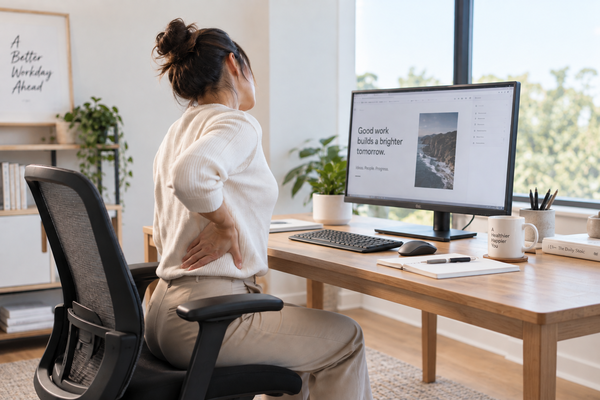
When sitting, you should be able to position your chair so your shoulders remain relaxed and your forearms can reach the keyboard and mouse comfortably.
Instead of choosing a chair purely because it has a gaming appearance, consider adjustment features and whether the chair suits the way you actually use the workstation.
JoyDesk offers both ergonomic chairs and gaming-oriented seating options that can be paired with an adjustable gaming workstation.
This is particularly relevant if you use the same desk for long periods of gaming, study and office work.
How to Measure Your Room Before Buying a Gaming Desk
Before ordering a standing desk, use a tape measure.
Do not estimate.
Measure:
-
The available wall width.
-
The available desk depth.
-
Space required for your chair.
-
Clearance behind the chair.
-
Distance to power outlets.
-
Doors, drawers and wardrobes that need to open.
-
Any windows or furniture near the desk.
Then mark the proposed desk dimensions on the floor using removable masking tape.
This is a simple way to understand how much physical space a 1200mm, 1500mm or 1800mm desk will actually occupy.
An 1800mm desk can look reasonable on a product page but feel very large in a small bedroom.
Measuring first reduces the chance of choosing a desk based only on product photographs.
Which Gaming Desk Size Should You Choose?
A useful starting point is:
Choose 1200mm if you have limited space and primarily use one monitor.
Choose 1500mm if you use dual monitors or want a balanced gaming-and-work setup.
Choose 1800mm if you have larger or multiple monitors, keep your PC on the desktop, use streaming equipment or simply need more working space.
But these are guidelines rather than strict rules.
Monitor size, equipment, room dimensions and personal preference all affect the final choice.
The most reliable approach is to measure your equipment and room before buying.
Final Thoughts: Choose Your Gaming Desk Around Your Setup
The best gaming desk is not necessarily the largest desk.
It is the desk that gives your equipment enough room while fitting comfortably into your home.
For a compact single-monitor setup, a 1200mm standing desk may provide everything you need.
For many gamers using two monitors or combining work and gaming, a 1500mm gaming desk offers a practical balance between space and footprint.
For larger multi-monitor systems, streaming setups and more equipment-heavy workstations, an 1800mm standing desk provides significantly more usable space.
Most importantly, think beyond the word “gaming”.
A height-adjustable standing desk can serve as a gaming desk, work desk and study desk in the same space.
Measure the room, measure your equipment, consider where the PC will go, and leave enough space for future upgrades.
When you are ready to compare sizes, explore the JoyDesk height-adjustable standing desk collection, desktop options, ergonomic chairs and desk accessories to build a setup around the way you actually game and work.