
Gaming Desk vs Standing Desk: Best Setup for Gaming in 2026
A good gaming setup is about more than RGB lights, a powerful PC and a high-refresh-rate monitor. Your desk is the foundation of the entire setup.
For many gamers, the traditional gaming desk has been the default choice. It usually offers a large desktop, cable-management features and enough space for multiple monitors, speakers and gaming accessories.
But there is another option becoming increasingly popular: the standing desk.
A height-adjustable standing desk gives you the same workspace needed for gaming while allowing you to change between sitting and standing throughout the day. That flexibility can be particularly useful if the same desk is used for gaming, studying, working from home or streaming.
So, should you buy a gaming desk or a standing desk?
Here are the practical differences to consider.
What Makes a Good Gaming Desk?
A gaming desk needs to support more than just a keyboard and mouse.
A typical modern setup may include:
-
One, two or even three monitors
-
A desktop PC or gaming laptop
-
Keyboard and mouse
-
Speakers or a headset stand
-
Microphone and streaming equipment
-
Chargers and USB hubs
-
Lighting
-
Console equipment
-
Cable-management accessories
That means desktop size and stability matter.
A desk that feels perfectly stable with a laptop may behave differently once it is loaded with two large monitors, a monitor arm and other gaming equipment.
For this reason, when comparing a gaming desk, look beyond appearance.
Important considerations include desktop dimensions, frame strength, load capacity, stability, cable management and whether the desk height suits your body.
JoyDesk offers a range of height-adjustable standing desks designed for larger workstations as well as everyday home-office use.
Why Consider a Standing Desk for Gaming?
The main advantage of a standing desk is simple: you are not locked into one desk height.
Instead, an electric height-adjustable desk can move between sitting and standing positions.
For gamers who also work or study at the same desk, that can make the workstation considerably more versatile.
You might sit during a competitive gaming session, raise the desk while watching a video or attending a meeting, and then change position again later in the day.
The goal is not to stand continuously.
Instead, a sit-stand desk gives you the ability to change position when you want to.
That is especially useful during long periods at a computer, where staying in any single position for too long can become uncomfortable.
Gaming Desk vs Standing Desk: What's the Difference?
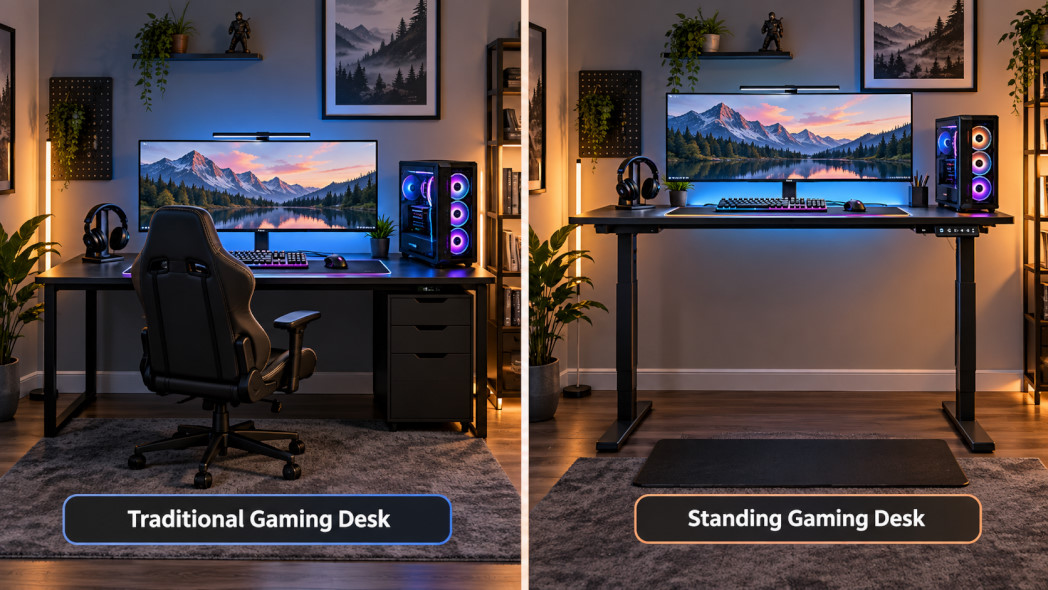
A traditional gaming desk and a standing desk can look very similar once the equipment is installed.
The biggest difference is adjustability.
A fixed-height gaming desk stays at one height. Whether that height works well depends on your chair, your body dimensions and how the workstation is configured.
A height-adjustable standing desk allows you to move the entire workstation up or down.
That means the keyboard, mouse, monitors and other equipment move together rather than requiring you to individually reposition everything.
For a shared household desk, this can also be useful because different users can choose different desk heights.
If several people use the same workstation, an adjustable desk can therefore provide more flexibility than a fixed gaming desk.
A Standing Gaming Desk Can Work for Both Gaming and Work
Many Australians no longer have separate desks for gaming and work.
A single room may function as a home office during the day and a gaming room at night.
This is where a gaming standing desk becomes particularly practical.
Instead of buying furniture designed only around a gaming aesthetic, you can build a workstation that supports:
-
Gaming
-
Working from home
-
University or school study
-
Content creation
-
Streaming
-
Video editing
-
General computer use
JoyDesk's standing desk range includes different frame and desktop configurations, making it possible to build a setup around the equipment you actually use rather than around a predefined gaming-desk layout.
How Much Desktop Space Does a Gaming Desk Need?
There is no single correct gaming desk size.
The right size depends primarily on your monitor configuration and the amount of equipment you keep on the desktop.
A compact setup using one monitor and a laptop may work comfortably on a smaller desktop.
A dual-monitor setup will generally benefit from more width.
For setups containing multiple monitors, large speakers, a microphone arm or other accessories, a larger desktop can make cable management and equipment positioning much easier.
JoyDesk currently offers desktop options including common sizes such as 1200 × 600 mm, 1500 × 750 mm and 1800 × 750 mm across its desk range.
You can also browse JoyDesk desktop options separately if you are building or upgrading an existing desk.
Is a 1500 mm Standing Desk Good for Gaming?
For many gaming setups, a 1500 mm wide standing desk is a useful middle ground.
It provides significantly more usable space than a small computer desk while still fitting into many bedrooms, studies and home offices.
A 1500 × 750 mm desktop can typically provide room for a dual-monitor setup while leaving space for a full-size keyboard, mouse and accessories.
Gamers running three monitors or very large displays may prefer an 1800 mm desktop, depending on available room.
Before ordering, measure the actual wall or floor space rather than relying only on the desk dimensions shown online.
Remember to leave enough room for your chair and for movement around the desk.
Stability Matters More Than Gaming Styling
One feature that deserves particular attention when choosing either a gaming desk or standing desk is stability.
Gaming can involve fast mouse movements, heavy keyboard use and several pieces of equipment attached to the desk.
Monitor arms also transfer movement directly into the desktop and frame.
A desk may therefore feel different once it is raised and loaded with equipment.
Look at specifications such as frame design and load capacity rather than choosing primarily based on appearance.
For example, JoyDesk's KING Pro standing desk range lists a load capacity of up to 150 kg, while the JOY Solid range lists up to 120 kg.
You can compare the current models in the JoyDesk standing desk collection.
Cable Management Is Especially Important for a Standing Gaming Desk
Cable management becomes more important when a desk moves.
On a fixed gaming desk, cables normally remain in approximately the same position.
With an electric standing desk, however, the distance between the desktop and floor changes every time the desk is raised or lowered.
That means your monitor, PC, power and accessory cables need sufficient slack and sensible routing.
A good standing gaming setup should therefore consider:
-
Power cables
-
Monitor cables
-
DisplayPort or HDMI cables
-
USB cables
-
Speaker cables
-
Ethernet cables
-
Charging cables
Keeping these cables organised helps prevent them from pulling when the desk changes height.
A cable basket and other desk accessories can help keep power boards and excess cabling away from the floor.
Where Should the Gaming PC Go on a Standing Desk?
This depends on the size and weight of your PC case.
Some users place the tower on the desktop, while others keep it underneath.
Putting the computer on the desktop means it moves together with the desk, which can simplify cable management. However, it also consumes valuable desktop space.
Keeping the tower on the floor provides more workspace but requires enough cable length to accommodate the desk's full height range.
Whichever configuration you choose, test the cables at both the lowest and highest desk positions before regularly operating the desk.
You do not want a cable becoming tight halfway through the desk's movement.
Pair Your Gaming Desk With the Right Chair
A good desk is only one part of the workstation.
When you are sitting, your chair determines much of your body position relative to the keyboard, mouse and monitors.
Look for a chair with enough adjustment to allow you to comfortably position yourself at the desk.
JoyDesk offers a range of ergonomic office and gaming chairs, including the Exon GAMING Leather Gaming Chair alongside ergonomic mesh and task-chair options.
If you alternate between gaming and working at the same computer, prioritising adjustability can be more useful than choosing a chair purely because it is labelled as a gaming chair.
Can a Standing Desk Improve a Gaming Setup?
A standing desk will not improve your frame rate, reaction time or internet connection.
What it can improve is the flexibility of the physical workstation.
You can set the desk to a comfortable seated height instead of adapting your posture to a fixed desk.
You can also change position during longer periods at your computer.
This distinction matters.
A standing desk should not be marketed as a cure for back pain or as something that guarantees better health.
Its practical benefit is that it gives you more control over your workstation position.
For people who spend many hours at the same desk, that adjustability can be valuable.
Gaming Standing Desk Setup Tips
If you are building a new setup, start with function before appearance.
First, decide how many monitors you will use and measure the total width required.
Next, determine where the PC will be located and how cables will reach it when the desk is raised.
Then choose the desktop size.
Once the major equipment is positioned, accessories such as monitor arms, cable trays, desk mats and lighting can be added around it.
This approach is usually easier than buying accessories first and trying to fit the desk around them later.
Is an Electric Standing Desk Worth It for Gamers?
It depends on how you use your desk.
If you only play games occasionally for short periods, a simple fixed gaming desk may be completely adequate.
However, if you spend several hours per day at your computer — particularly if you use the same setup for work, study and gaming — the ability to adjust the workstation height becomes much more useful.
For that type of user, an electric standing desk for gaming can serve as both a gaming station and an everyday ergonomic workstation.
The important part is choosing a desk with the appropriate size, height range, stability and load capacity for your equipment.
Choosing a Gaming Desk in Australia
Australian buyers should consider practical factors alongside desk specifications.
Check:
-
Available desktop sizes
-
Height range
-
Load capacity
-
Warranty
-
Delivery arrangements
-
Replacement parts
-
Cable-management options
-
Compatibility with monitor arms and accessories
It is also worth buying from a company that publishes detailed specifications rather than relying primarily on marketing descriptions.
You can compare the current JoyDesk standing desks, browse all JoyDesk products, or explore ergonomic desk accessories when planning your gaming setup.
Final Thoughts: Gaming Desk or Standing Desk?
There is nothing inherently wrong with a traditional gaming desk.
For a simple setup, a fixed desk can work perfectly well.
But if your desk needs to support gaming, work, study and other computer-based activities, a height-adjustable standing desk provides something a conventional gaming desk cannot: the ability to adapt the workstation to different users and different activities.
Instead of asking whether you need a gaming desk or a standing desk, it may therefore be more useful to ask:
Can a standing desk become a better gaming desk?
For many modern setups, the answer comes down to flexibility.
Choose enough desktop space for your equipment, make stability a priority, organise cables carefully and pair the desk with a chair that can be adjusted to your body.
The result can be a clean gaming setup that works just as well during the working day as it does during your next gaming session.